Scan and correct
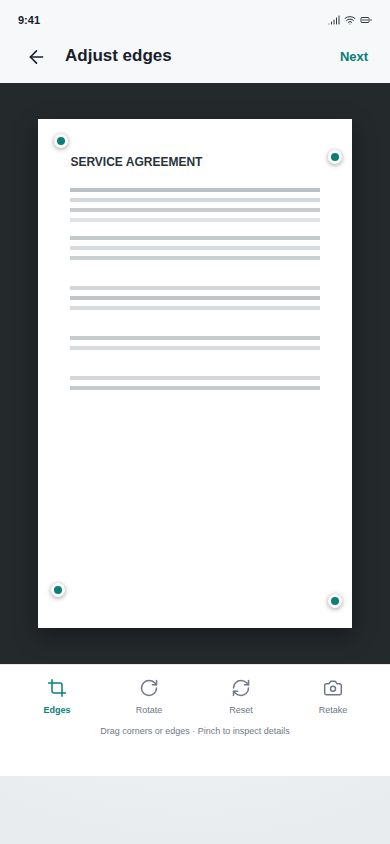
Capture single or multi-page documents, correct edges, rotate pages, and apply readable scan filters.

 Android app by DJAI
Cam PDF turns paper, photos, PDFs, and office documents into organized files you can edit, sign, compress, name, and share from one Android workspace.
No added watermark on exported files. Account and usage conditions apply.
Read: how to remove a scanner watermark safelyBefore you install
Cam PDF is designed for recurring document work, with usage controls that are explained before you leave this page.
Built around the complete document flow
Cam PDF removes the handoffs between scanner, file manager, PDF utility, signature tool, compressor, and QR generator.
Capture single or multi-page documents, correct edges, rotate pages, and apply readable scan filters.
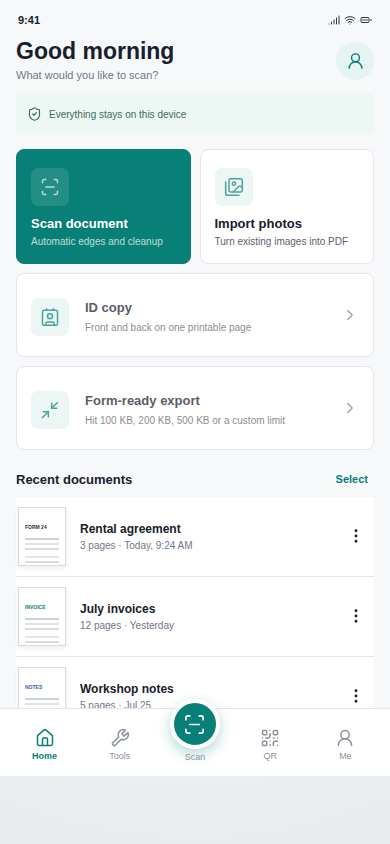
Bring in PDFs, DOCX files, and images, then sort, rename, duplicate, or delete documents from one library.
Reorder pages, erase content, add signatures, place text and dates, and prepare ID copies for printing.
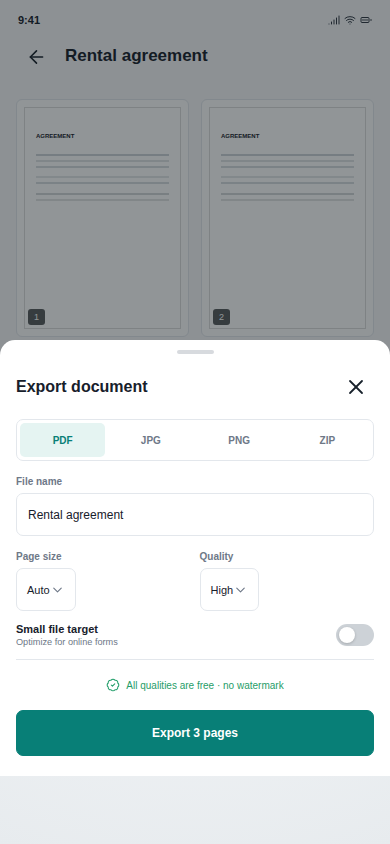
Choose a file name before export, set PDF page size and quality, compress for upload limits, then share or print.
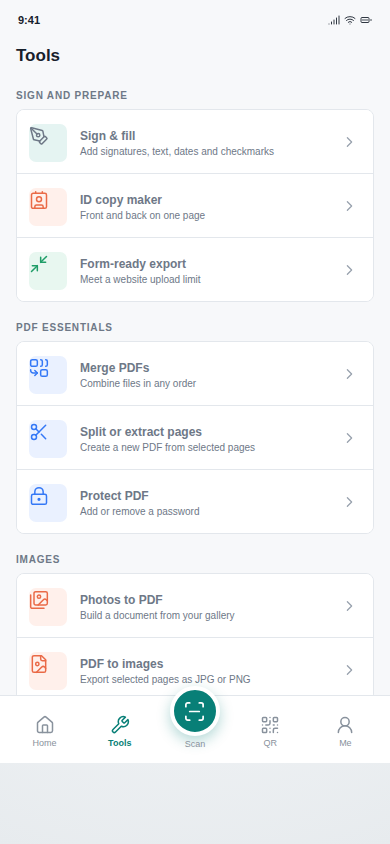
Merge, split, extract, protect, and convert PDF pages without moving between separate utilities.
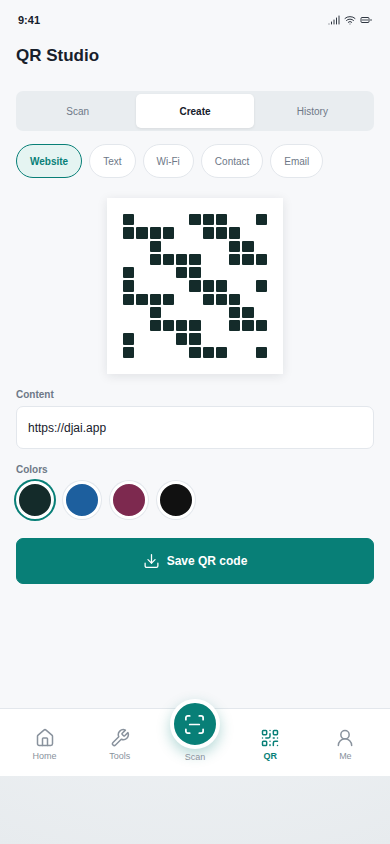
Scan QR codes or create codes for websites, text, Wi-Fi, contacts, and email, then save them as images.
Product interface
Fast access to recent files, predictable editing controls, and explicit export settings keep everyday scanning work easy to review.
Privacy by default
Scans, imported document content, signatures, and generated files stay in app-owned storage unless you choose to share or export them. Account, usage, consent, analytics, advertising, and notification metadata are described separately in the privacy policy.
Designed for real file handling
Imported files remain visible in the document library with sorting and management actions. Before export, choose the final file name instead of accepting a generated label you have to fix later.
Available on Google Play
Download the Android app from Google Play. An account is required, free access uses a weekly export allowance, and the one-time Remove Ads purchase includes unlimited exports. The app contains ads and in-app purchases. No added watermark is placed on exported files.
Download on Google PlayVerified against the Google Play listing and DJAI app policy on September 6, 2026.